ropemateHow it worksStart a free pilot

How Ropemate works, step by step

Ropemate puts you, your client and Claude in one shared studio. Your client asks for changes in their own words, sees them right away and publishes when they're happy, and you stay close for the parts where your experience matters. These pictures come from a real artist's portfolio that was built this way.

Studio
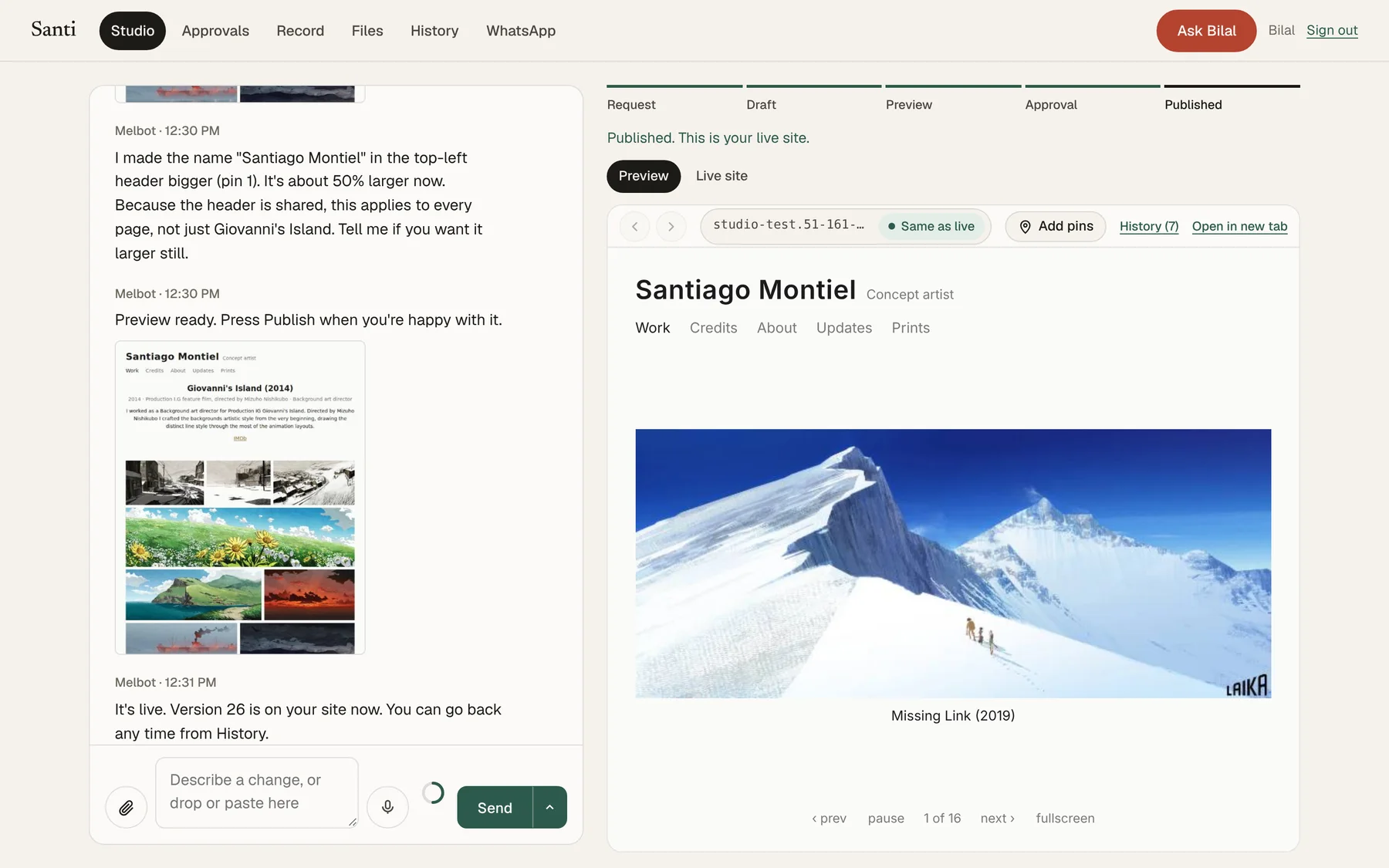
The studio: a shared chat on the left where the assistant confirms a new version is live, and a preview of the portfolio page on the right.
01

Your client asks, and the preview changes right beside the chat

On the left is a chat that you and your client share with the assistant, and on the right is a live preview of the site. Your client can type or speak a request, like "could you please make it bigger?", and a moment later they see the new version. When they're happy with it they press Publish themselves, and if they ever get stuck there's a button that calls you in.
02

You can see every request, in your client's own words

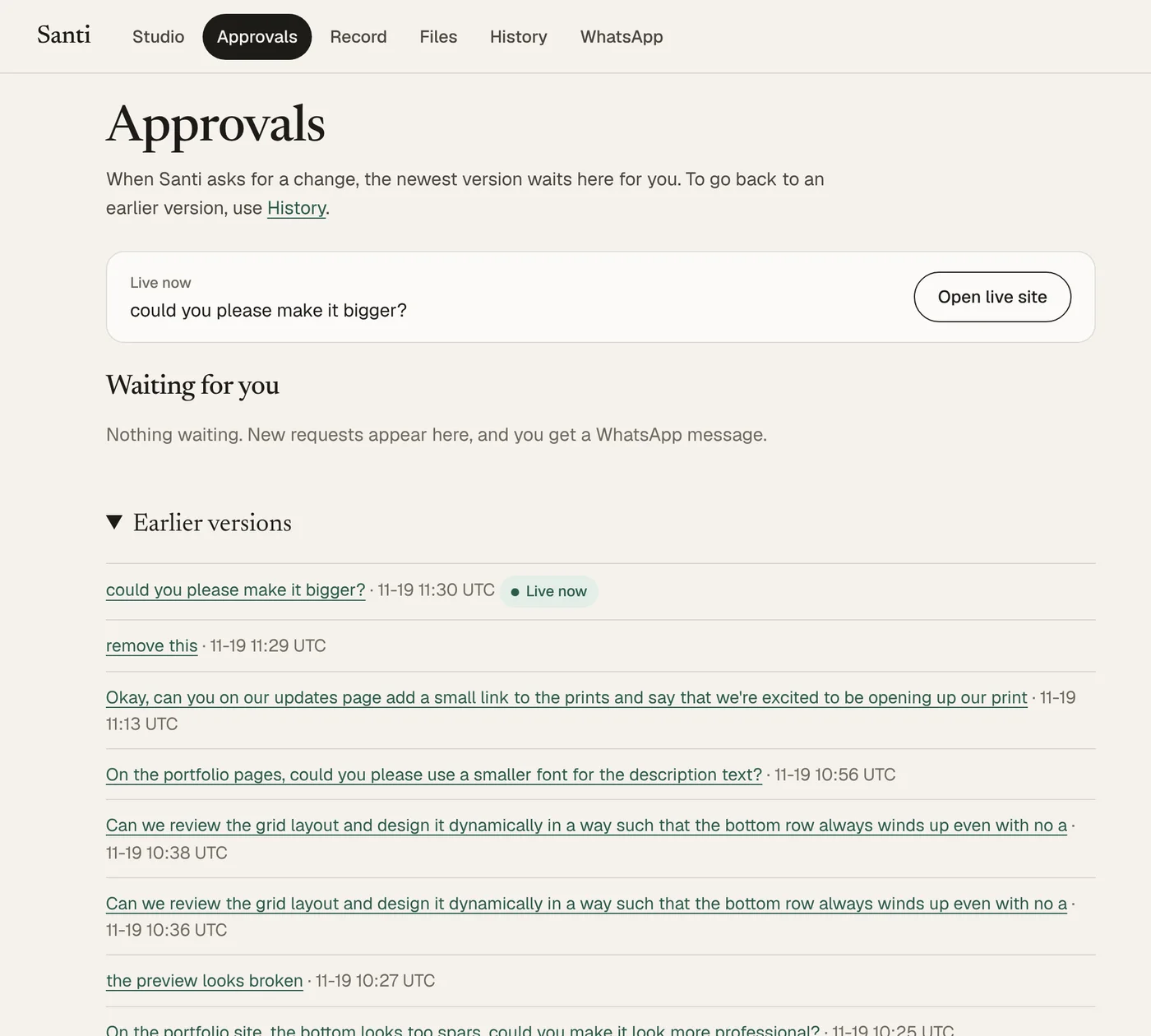
Each request and the version it made lands on this page, so you can follow along without hovering over anyone's shoulder. You don't have to approve anything, because the site belongs to your client, but you always know what changed and when, and you can get a WhatsApp message when something new comes in.

Approvals
A list of client requests with timestamps, such as 'could you please make it bigger?', with the live version marked.
03

Every version is kept, so going back takes one click

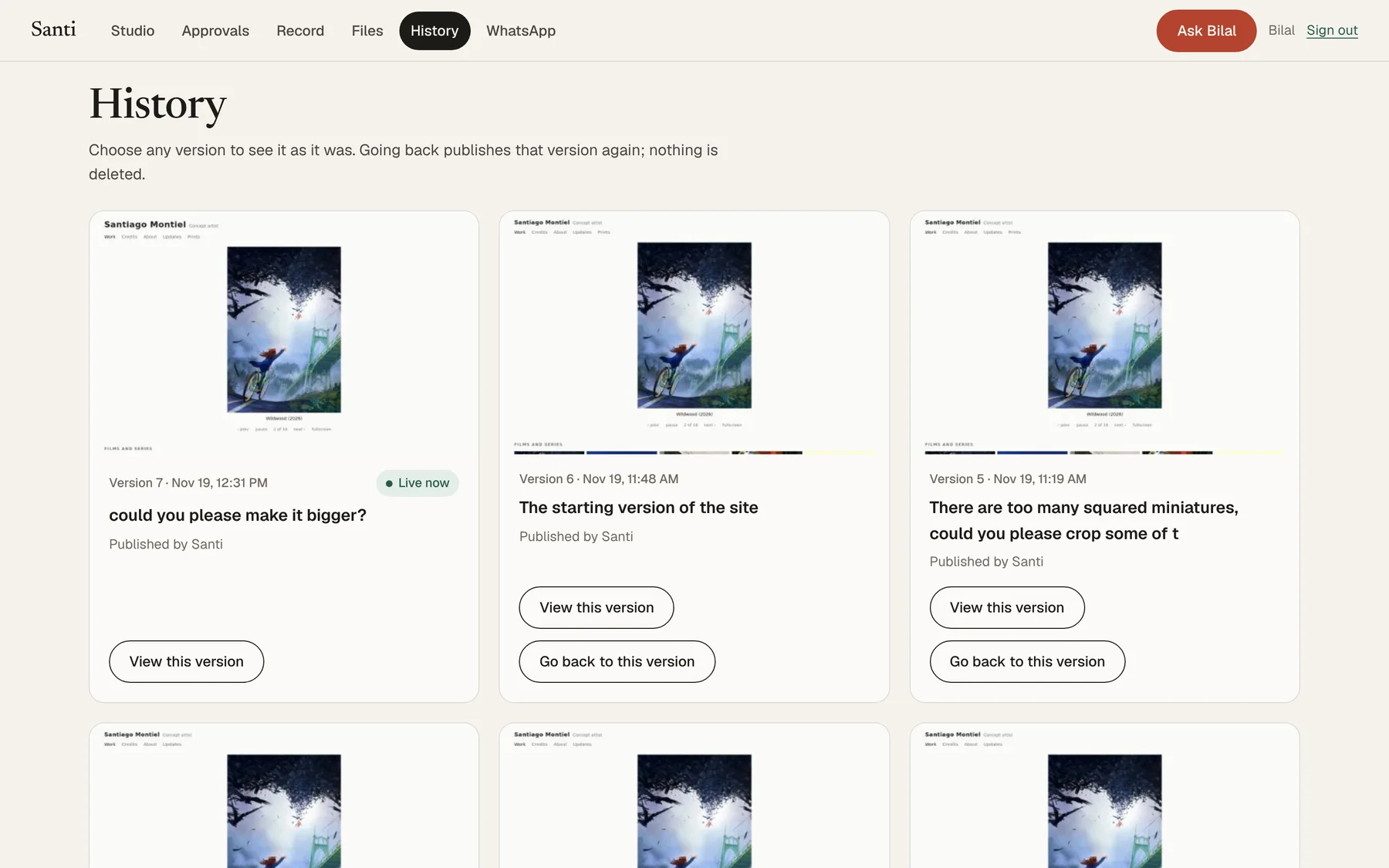
Each time your client publishes, the studio keeps a picture of how the site looked. If something breaks, either of you can press Go back and the earlier version is live again, and nothing is ever deleted. This safety net is what makes people brave enough to try things on their own.

History
Three earlier versions of the site shown as thumbnails, each with buttons to view it or go back to it.
04

The assistant works from what you agreed together

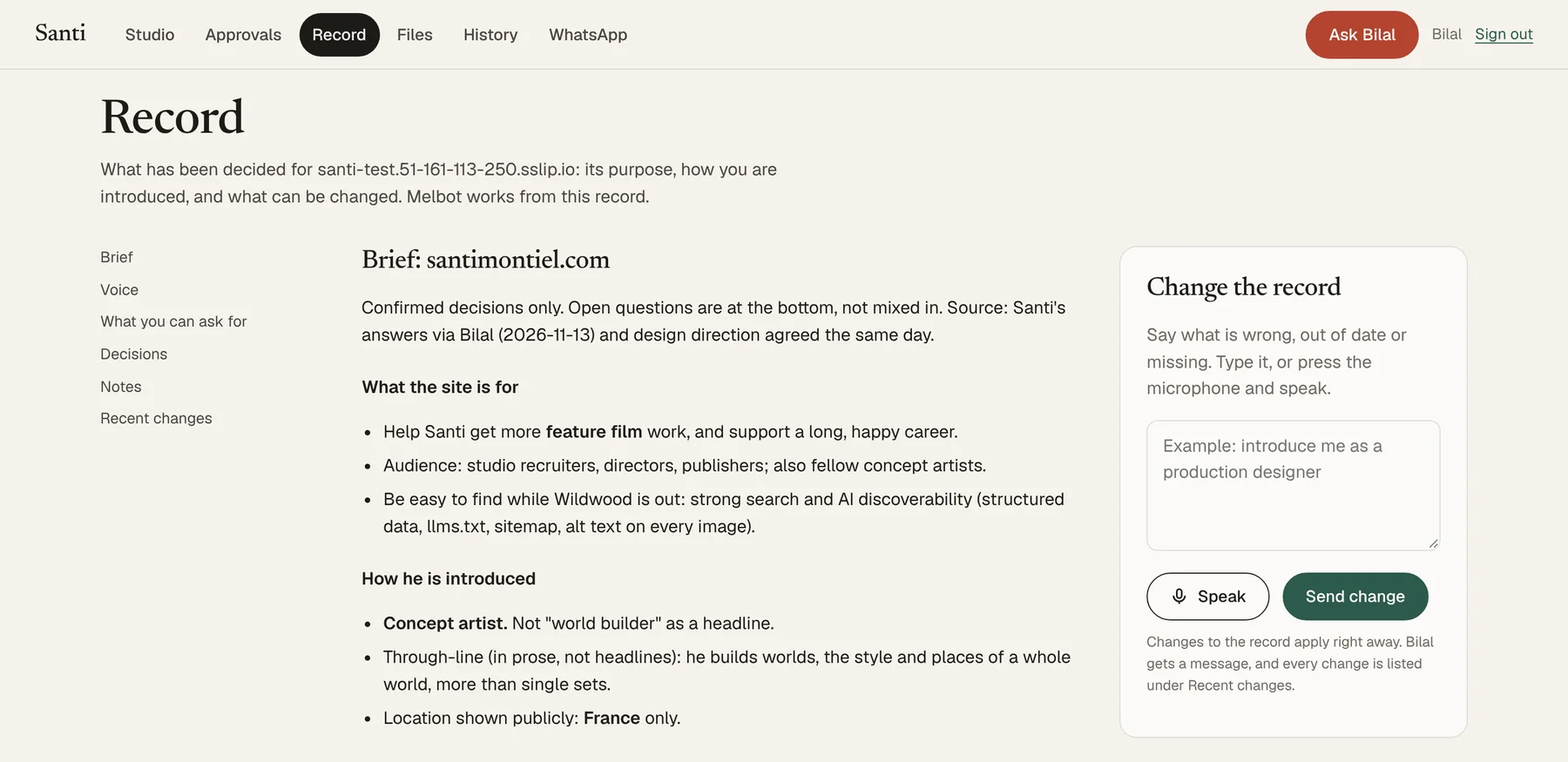
Each project keeps a simple record of what the site is for, who it's speaking to and how your client wants to be introduced. The assistant reads it before every change, and either of you can correct it whenever you like by typing or just speaking into the microphone.

Record
The record page: what the site is for, who it is for and how the client is introduced, with a box to update it.
05

Files stay private until your client says otherwise

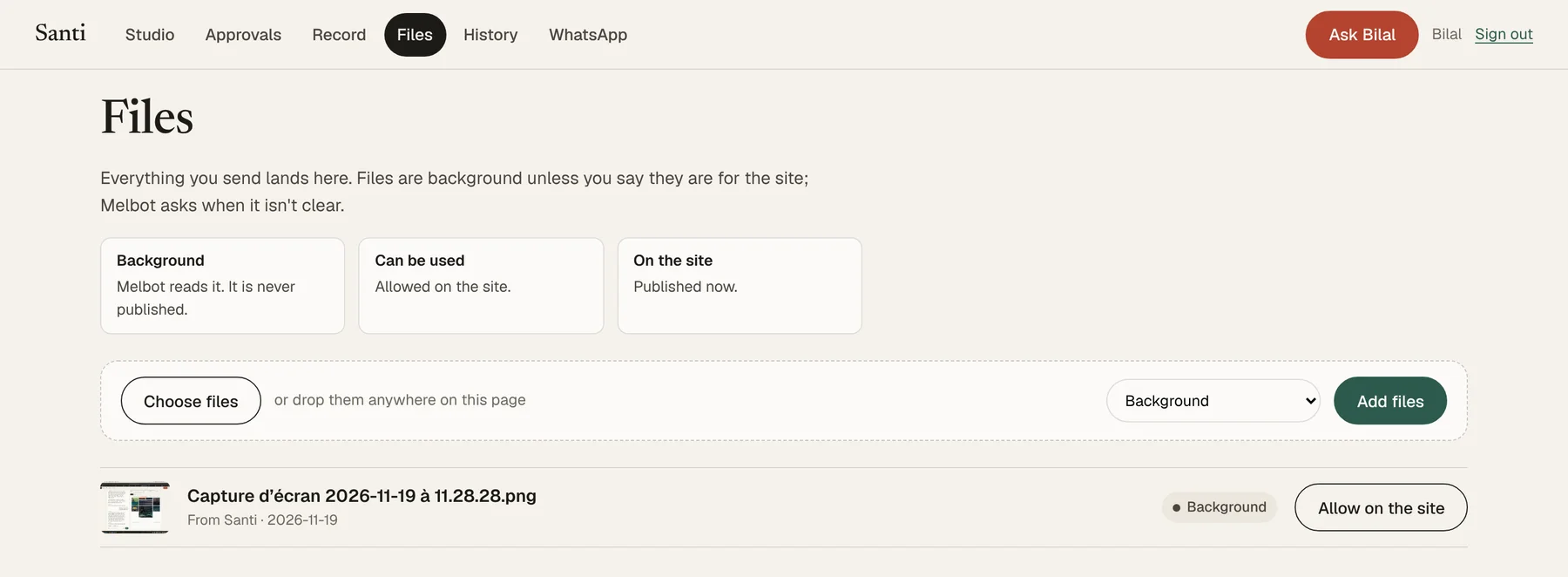
Anything your client sends lands here as background, which means the assistant can read it but will never put it on the site. When they want a picture to go live they mark it as allowed, and only then can it be published.

Files
The files page with three states, Background, Can be used and On the site, and an image marked Background.
06

Your client can do all of this from their phone, too

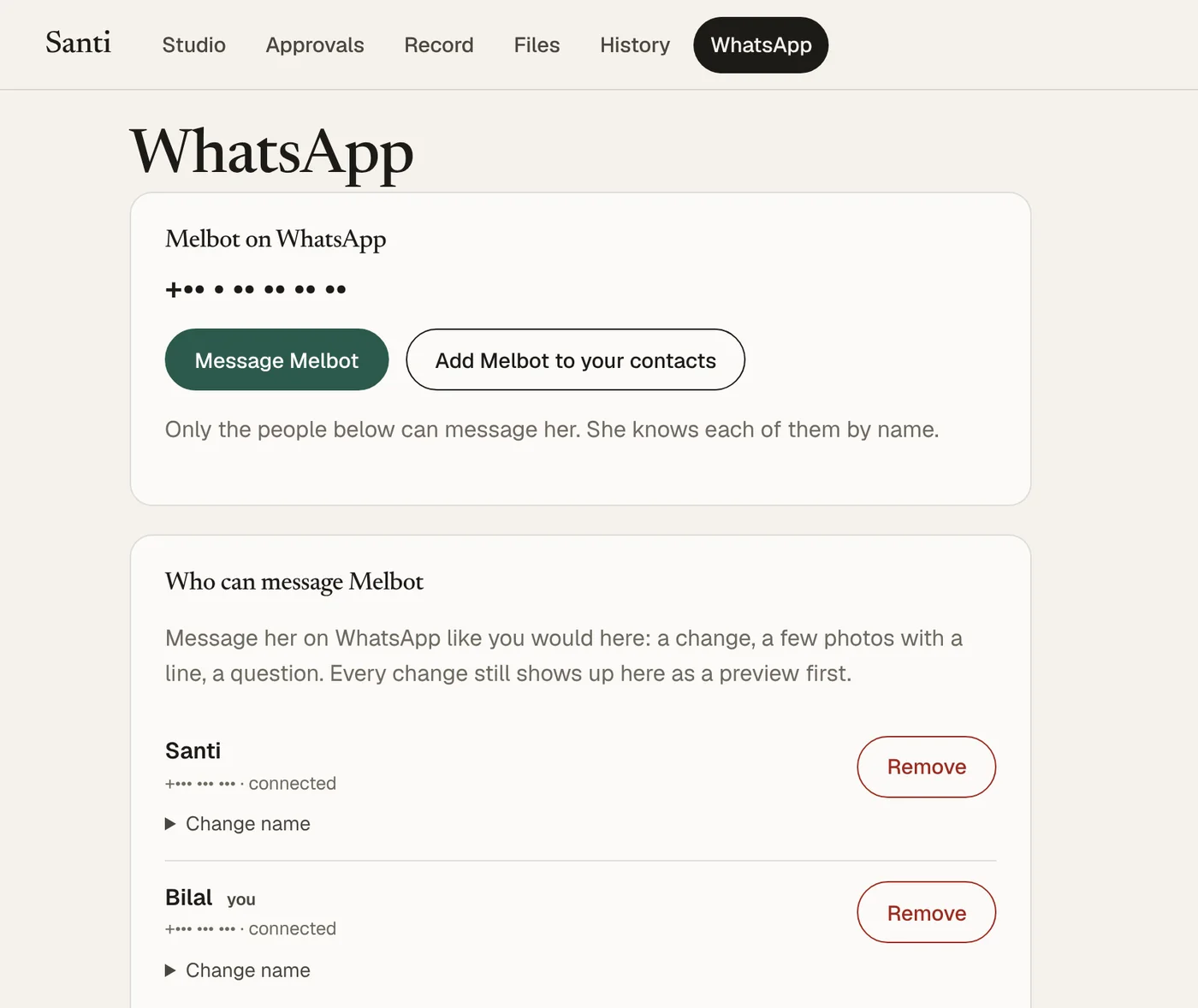
The assistant is also on WhatsApp, so your client can send a few photos with a line of text, or ask a quick question, from wherever they are. The change still shows up in the studio as a preview first, and only the people on the project's list can message it.

WhatsApp
The WhatsApp page listing who can message the assistant, with all phone numbers hidden.
07

And here's where it ended up

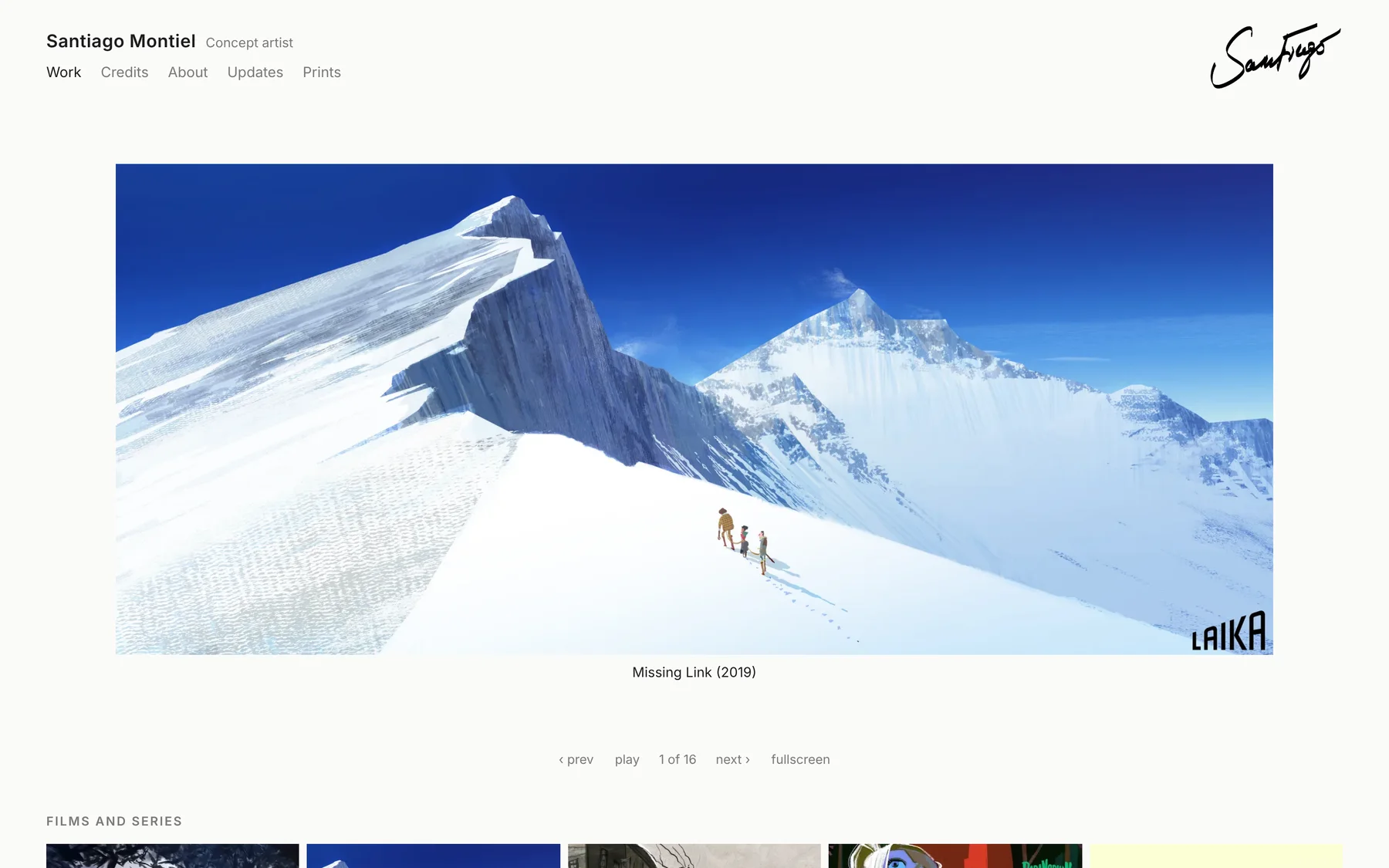
This is the live portfolio today—shaped directly by the artist, one request at a time, with a practitioner beside them for the setup and the tricky parts.

Have a look at the live example
Live example
A live artist portfolio built with Ropemate, opening on a mountain painting from Missing Link (2019).

Would you like to try it on a real project?

Ropemate is for designers, developers and small studios who want to help the people they work with build things of their own, whether that's a portfolio, a small shop or a tool for a team, with guardrails and someone experienced on call.

If you have someone in mind you could help, we'd love to set up a first project with you and walk you through it live.

Start a free first pilot  ·  About Bilalropemate.app